
Photo to 3D Model in Unreal Engine 5
Need a prop for an Unreal Engine 5 level and have a photo of the real thing? This guide imports the model with its texture at a sensible size, explains the tiny-OBJ trap, and sets up Nanite and collision so it behaves like any other asset.
Try it with your own photo
Free preview, no account. Pay €1 only for the model you keep: OBJ, STL and GLB in one download.
Or open an example model
The short version
- Unzip your OBJify download.
- Drag
model.glbinto the Content Browser and click Import. - Drag the new Static Mesh into your level and scale it to the real size.
- Optional: turn on Nanite and add simple collision.
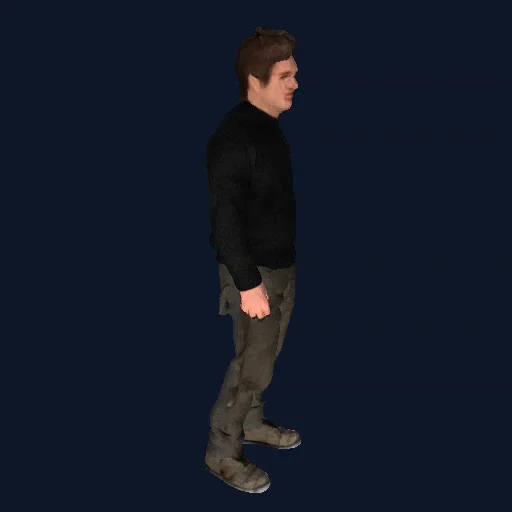
What's in the download
| File in the ZIP | What it is | Use it for |
|---|---|---|
model.glb |
Mesh, colour texture and material in one file. Y-up, about 1 m on its longest side. | Blender, Unreal, Unity (with glTFast), websites, AR |
model.obj + material.mtl + texture image |
Textured mesh, about 1 unit on its longest side, stored Z-up. Keep the three files in the same folder. | Unity, Maya, Cinema 4D, any 3D tool |
model_3dprint_150mm.stl |
Watertight solid, no colour, in millimetres: 150 mm on its longest side, standing on Z = 0. | Slicers, Fusion 360, FreeCAD |
Models are around 55,000–60,000 triangles with a single colour texture (no normal or roughness maps). Files are deleted from our servers after an hour, so keep the ZIP.
1. Import the GLB
- In the Content Browser, make a folder for the prop, for example
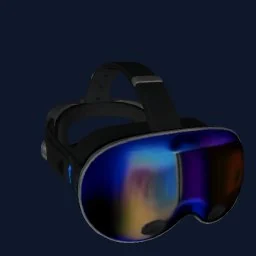
Content/Props/Headset. - Drag
model.glbinto it (or use Import). - In the import dialog, keep the defaults and click Import. Unreal creates a Static Mesh, a material and a texture.
- Drag the Static Mesh into the level. It stands upright and measures about 100 cm on its longest side.
The GLB's material is marked double-sided, so thin parts such as straps or leaves render from both sides.
The tiny-OBJ trap
OBJ files have no units, and Unreal treats 1 unit as 1 cm. Our OBJ is about 1 unit on its longest side, so it arrives roughly 1 cm big and you may think the import failed. If you need the OBJ, set the import scale (Import Uniform Scale) to 100, and rotate it if it comes in lying down. The GLB avoids both problems, which is why we recommend it.
2. Set the real size
A single photo doesn't reveal how big the object really is. Drop a Mannequin (about 180 cm tall) or a 100 cm cube next to the model and scale it until it looks right. If you'll reuse the prop a lot, set the size once in the Static Mesh Editor under Build Settings → Build Scale so every copy starts at the right size.
3. Turn on Nanite
At around 55,000–60,000 triangles the mesh is a good fit for Nanite, which streams detail on demand and makes many copies cheap. Tick Build Nanite in the import dialog, or open the Static Mesh and enable it under Nanite Settings, then Apply Changes.
If your project doesn't use Nanite (for example on mobile), generate LODs in the Static Mesh Editor under LOD Settings instead.
4. Add collision
- Simple shapes: in the Static Mesh Editor, open Collision and add a box, sphere or capsule. Cheap and stable for physics.
- Closer fit: Collision → Auto Convex Collision builds several convex pieces around the shape.
- Static scenery: set Collision Complexity to Use Complex Collision As Simple to collide against the exact mesh.
Improving the material
The texture holds colour only, so the imported material has no roughness or normal detail. Open the material, lower the roughness value or connect your own maps, and the model will sit better under Lumen lighting. If you need edits to the mesh itself, round-trip it through Blender and export glTF or FBX again.
Frequently asked questions
Can Unreal Engine 5 import GLB files?+
Yes. Unreal Engine 5 imports glTF and GLB directly: drag the file into the Content Browser. It creates a Static Mesh, a material and the texture in one go, and converts glTF's metres and Y-up axis to Unreal's centimetres and Z-up for you.
Why is my OBJ tiny in Unreal?+
OBJ files have no units and Unreal reads 1 unit as 1 centimetre. The OBJ is about 1 unit on its longest side, so it arrives about 1 cm big. Set the import scale to 100, or use the GLB, which comes in at about 1 metre.
Should I enable Nanite on the model?+
You can. At around 55,000 to 60,000 triangles the mesh is a good Nanite candidate, especially if you place many copies. Enable it in the import options or in the Static Mesh Editor under Nanite Settings.
How do I add collision to the model?+
Open the Static Mesh Editor and use the Collision menu to add a simple box, sphere or capsule, or Auto Convex Collision for a closer fit. For static scenery you can also set the Collision Complexity to use complex collision as simple.
Is the model the right size for my level?+
A single photo does not reveal real-world size, so the GLB comes in at about 1 metre on its longest side. Compare it with the Mannequin (about 180 cm tall) and scale it to fit.
Try it with your own photo
Free preview, no account. Pay €1 only for the model you keep: OBJ, STL and GLB in one download.
Or open an example model