- No subscription
- No sign-up
- €1 per model
The Easiest Way to Turn a Photo into a 3D Model
One photo in, 3D model or print-ready STL out in ~55 seconds. Preview it free in 360°, then pay €1 only for the models you download. No subscription, no account, no credit card to start.
Copied an image? Press Ctrl+V to paste it.
Supports PNG, JPG, or WebP up to 25MB (products, shoes, toys, furniture, sculptures)
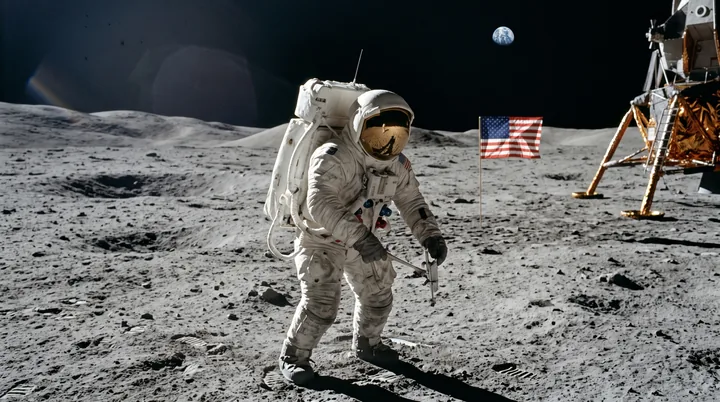
See What to Expect — Input Photo vs. 3D Mesh Output
Click any example to inspect 3D mesh, wireframe & clay
1. Upload Image
Drop or snap any real-world photo. Subject is automatically isolated on white with auto-contrast verification.
2. Verify Cutout
Inspect the subject cutout on auto-contrast studio canvas before initiating 3D geometry reconstruction.
3. Free 360° & Download
Orbit the full 360° turntable preview for free. Download production .OBJ, 3D-printable .STL, or .GLB for €1.
Printing it? Every download includes a watertight STL. Image to STL: the step-by-step guide →
We don't keep your images or 3D models. All uploaded photos and synthesized meshes are strictly confidential, automatically purged, and never stored or used to train AI models.
From photo to 3D model in one step
OBJify is an image to 3D model generator built for people who just want the model. Upload one photo of a real object, such as a product, a toy, a figurine, a shoe or a piece of furniture, and OBJify rebuilds its full 3D shape, including the sides the camera never saw. The background is removed automatically, a quick check warns you if the photo is too blurry or badly framed, and the model is ready in about 55 seconds.
Image to STL for 3D printing
Every download includes a watertight STL, pre-scaled to 150 mm, that opens straight in Bambu Studio, PrusaSlicer or Cura. PNG, JPG and WebP photos all work. The image to STL guide walks you from photo to finished print.
3D models for Blender, games and the web
You also get a textured OBJ with its MTL and colour map, and a single GLB file. Step-by-step guides cover Blender, Unity, Unreal Engine, Fusion 360, FreeCAD and websites and AR. Use them commercially: the model is yours.
Pay only for the models you keep
Turning a photo into a 3D model and checking it in the 360° preview is free, with no account. Downloading costs €1, or as little as €0.40 per model in packs, and credits never expire. Your photos and models are deleted automatically.
Why Creators Choose OBJify Over Meshy & Tripo3D
Zero sign-up barriers, pure €1 pay-as-you-go pricing (no $20–$40/mo recurring subscriptions), 100% private zero-retention architecture, watertight 3D-printable .STL files, and free 360° interactive turntable previews.
Frequently Asked Questions
What is the easiest way to turn a photo into a 3D model without a subscription?+
OBJify. Upload one photo, get a free 360° preview in about 55 seconds, and pay €1 only if you download the model (.OBJ, .STL, .GLB). There is no subscription, no monthly plan, and no sign-up required.
Does OBJify require a subscription?+
No. OBJify is pay-as-you-go: €1 per downloaded model, with no monthly fees, no recurring billing, and nothing to cancel. Generating and previewing is free.
Do I need to sign up or create an account to use OBJify?+
No. OBJify requires no sign-up, no password, and no credit card upfront. You are instantly assigned a private guest session, allowing you to drop any photo and generate a 3D model immediately.
Is it free to generate and preview the 3D model?+
Yes, 100% free. Background removal, 3D reconstruction, and the interactive 360° turntable preview cost nothing. You can inspect the complete shape and silhouette before deciding to purchase a download.
How much does it cost to download the production 3D model?+
Downloading the production .OBJ model costs 1 credit (€1.00 for a single model, or as low as €0.40 in packs). Downloading also unlocks the full interactive 3D WebGL mesh viewer in your browser. There are no recurring monthly subscriptions.
Can I 3D print the models created with OBJify?+
Yes. Every download includes a watertight .STL file specifically cleaned, pre-scaled (150mm), and optimized for FDM and resin slicers like Bambu Studio, Cura, and PrusaSlicer.
What 3D file formats are supported?+
OBJify exports standard Wavefront .OBJ (with .MTL and texture maps), 3D-printable .STL, and binary .GLB (for web 3D, Three.js, and mobile AR).
How does OBJify compare to competitors like Meshy or Tripo3D?+
Unlike competitors that force you to create accounts, submit credit cards for subscriptions, or publish your generations to public galleries, OBJify is 100% private, requires no sign-up, provides an upfront free 360° turntable preview, and uses a transparent €1 pay-as-you-go model with zero monthly commitments.
How is my privacy protected?+
OBJify operates on a zero-retention policy. Uploaded photos and synthesized 3D assets are confidential, kept strictly private, automatically purged after processing, and never used to train public AI models.
Running fast neural alpha segmentation & studio centering...
Make sure the edges are clean and the object is centered properly before synthesizing.

Reconstructing 3D geometry & texture...
The 3D generation server encountered a delay or was temporarily unavailable. Your cut-out and image are safely preserved.
We will send an email with a direct link to view and download your 3D model once ready: